AI Search Mode
A full-page conversational search, built into your store.
How it works
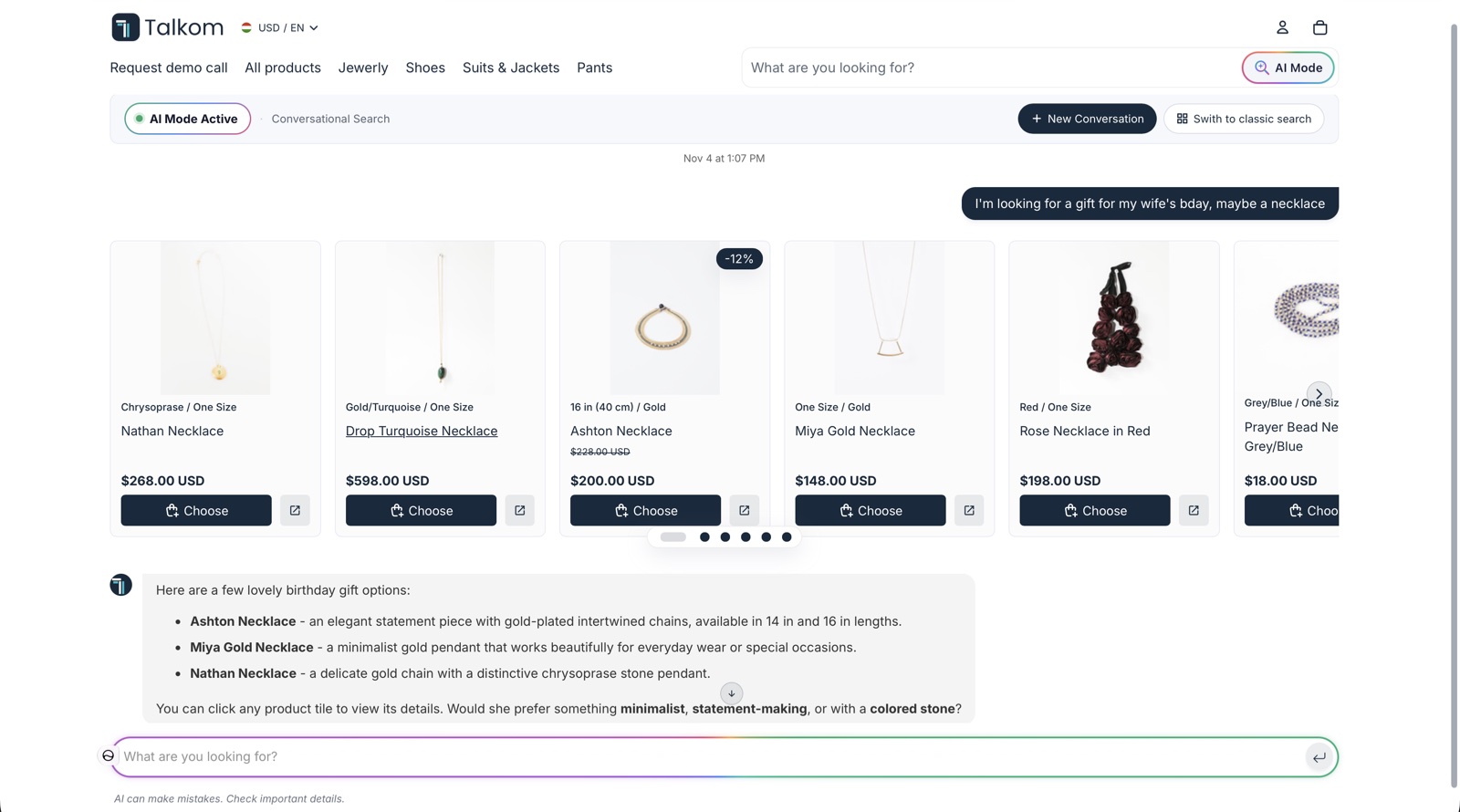
Start from your search bar
Shoppers can open AI Search Mode from a button next to your search bar. You can also add AI banners to your search and collection pages.
Search in their own words
Instead of guessing keywords, a shopper can write “a gift for my wife’s birthday” and refine the results by replying.
Stay in control
Shoppers can start a new conversation, or go back to classic search whenever they want.
Product quick view
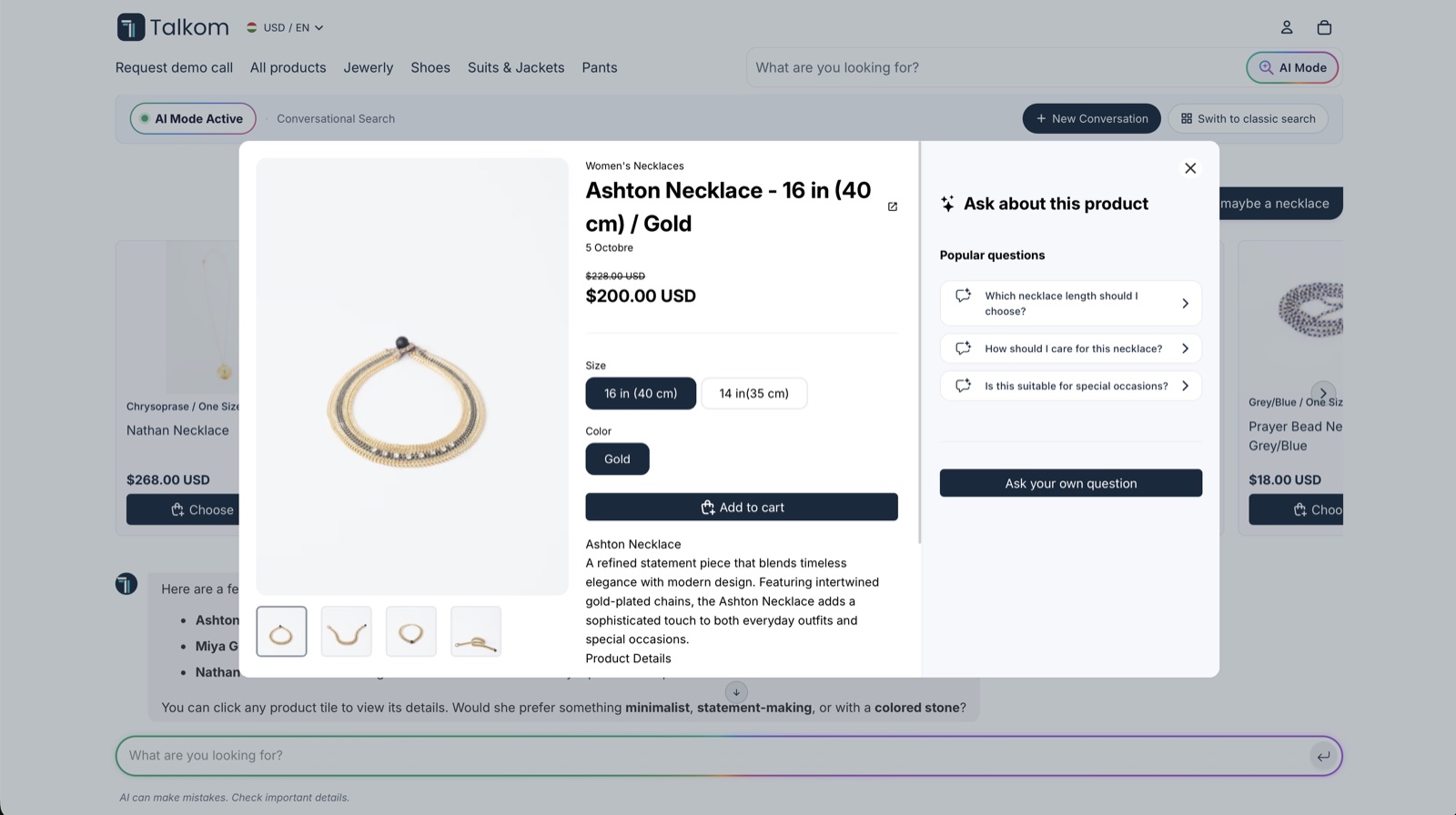
When a shopper clicks a product in the results, a quick view opens on top of the page, so they keep their place in the conversation.
- Images, price, sizes, colors and description
- Add to cart directly from the quick view
- Suggested questions about the product, plus “Ask your own question”
- A link to the full product page
AI Search Mode, AI Assistant or Ask About Products?
Swipe to see the full table.
| AI Assistant | Ask About Products | AI Search Mode | |
|---|---|---|---|
| Where | On every page you want, as a chat bubble or floating bar | On product pages | On its own full page in your store |
| Best for | Questions at any point, support and orders | Questions about one product | Browsing and finding products |
| How it starts | The shopper opens the chat | The shopper clicks a suggested question | The shopper chooses AI Search Mode, for example from your search bar |
They’re parts of the same product, so you can use them together.
Why use a full page?
- More room for product results and comparisons
- It feels like part of your store, not a separate chat tool
- It works alongside your existing search, so shoppers can choose
Setup
Talkom creates the AI Search Mode page when you install it, and you choose where to link to it in your theme, without code. Marseusshop.hu says in its Shopify App Store review that customers use its AI search for advice and recommendations.
Frequently asked questions
What is AI Search Mode in an online store?
A conversational search on a full page of the store. Shoppers describe what they want in their own words and see matching products and answers on the page.
Can shoppers see product details in AI Search Mode?
Yes. Clicking a product opens a quick view on the same page, with images, price, options, description and add to cart. Shoppers can also ask questions about the product from there.
Does AI Search Mode replace my store’s search?
No. It works next to your classic search, and shoppers can switch back at any time.
How is AI Search Mode different from the AI Assistant?
The AI Assistant opens on top of any page, as a chat bubble or floating bar. AI Search Mode runs on its own full page inside your store.
Try Talkom on your store
Start on the Free plan, or try any paid plan free for 14 days.