Talkom Workspace
Where you set up your AI, see how shoppers use it, and measure what it sells.
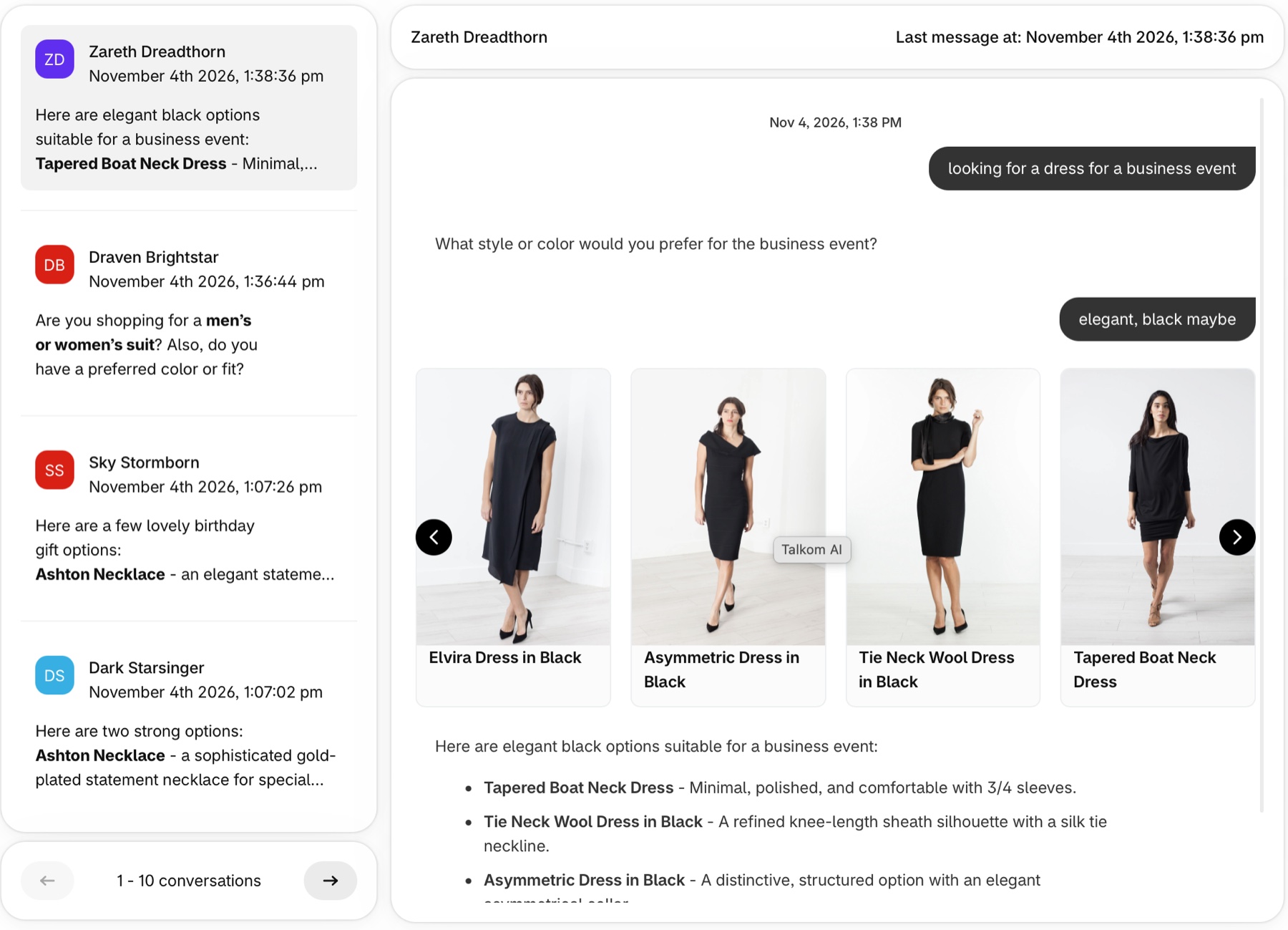
Conversation history
Read every conversation between shoppers and Talkom, including the products it showed and the answers it gave.
- A list of all conversations, which you can filter by market
- The full chat, with product cards as the shopper saw them
- A summary for each conversation: product impressions, messages, clicks, carts and orders
- Clicks, carts and orders for each product shown, with product search
Use it to see what shoppers really ask, then improve the answers.
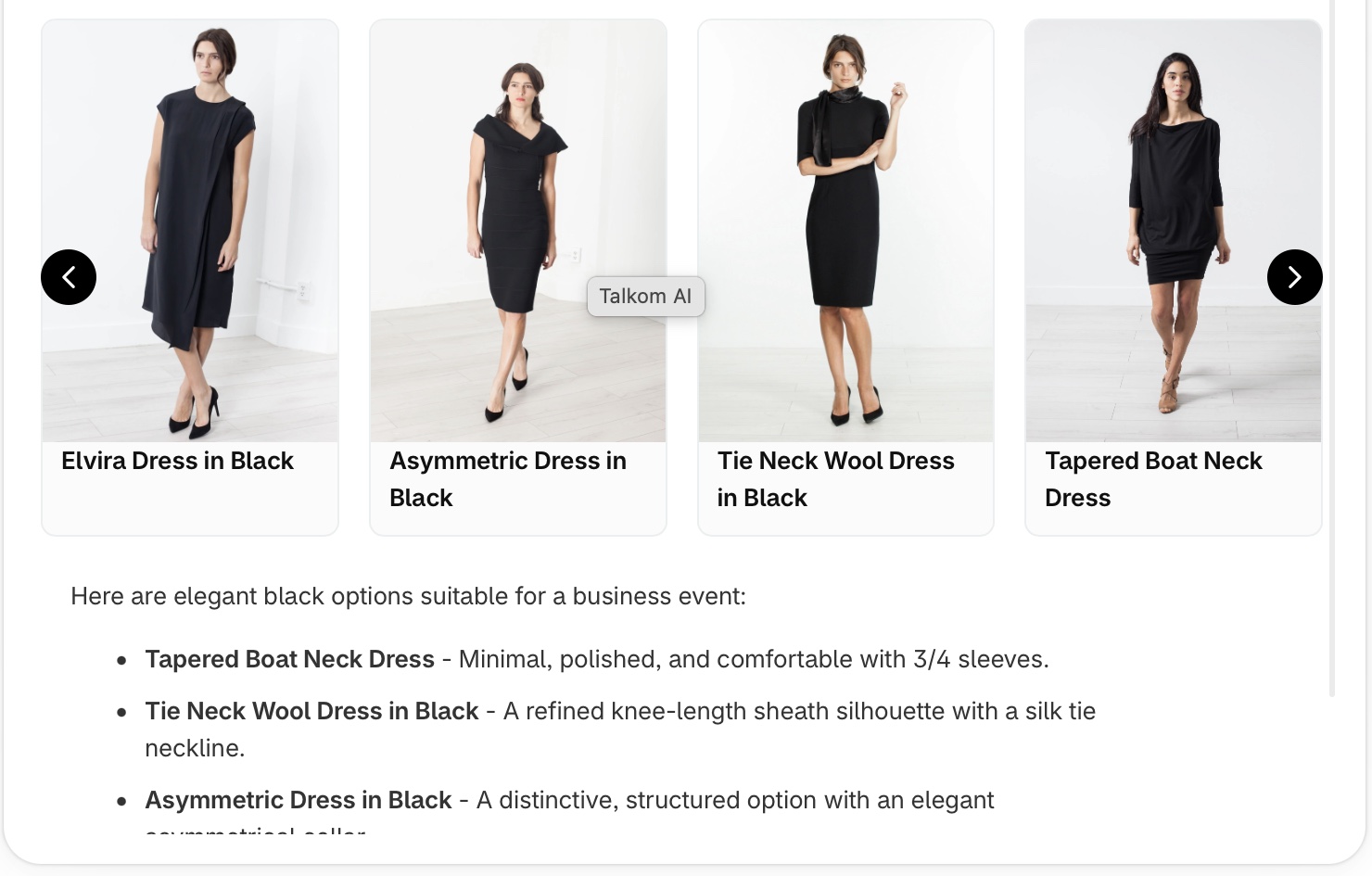
Analytics and sales data
See how Talkom performs by time range and market:
- Usage: conversations and messages
- Product discovery: product impressions, clicks and click-through rate
- Sales: add-to-cart actions, attributed orders and attributed revenue
- Conversion: share of conversations leading to a cart, and to an order
- Ask About Products: how many times suggested questions were shown
Control how the AI behaves
The Agent area brings together everything that shapes your assistant.
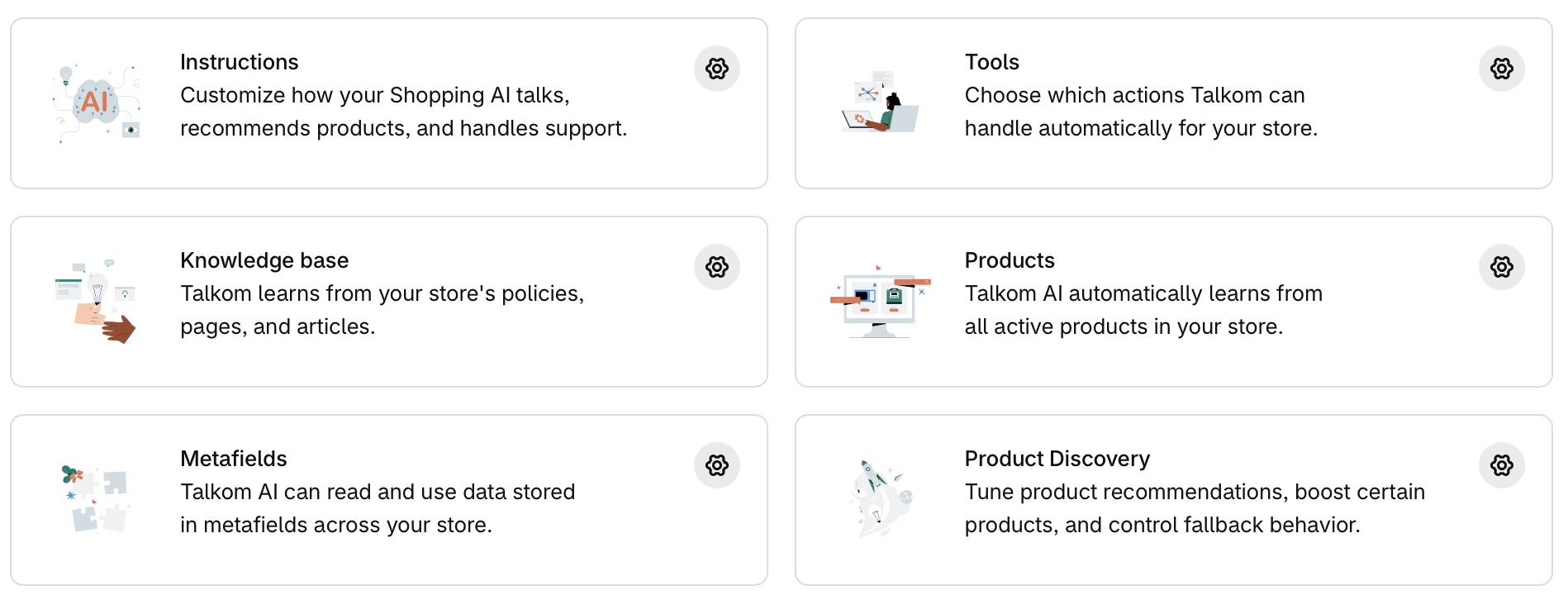
Instructions
Customize how your AI talks, recommends products and handles support. You also set the message shoppers see when you reach your monthly limit.
Tools
Choose which actions Talkom handles for you: order details and history, cancelling unfulfilled orders, restocking and refunds on cancellation, and human handoff by email.
Product Discovery
Tune how products are recommended. Boost best sellers, inventory or new arrivals, choose how out-of-stock products are handled and how strict matching is, and add your own re-ranking instructions.
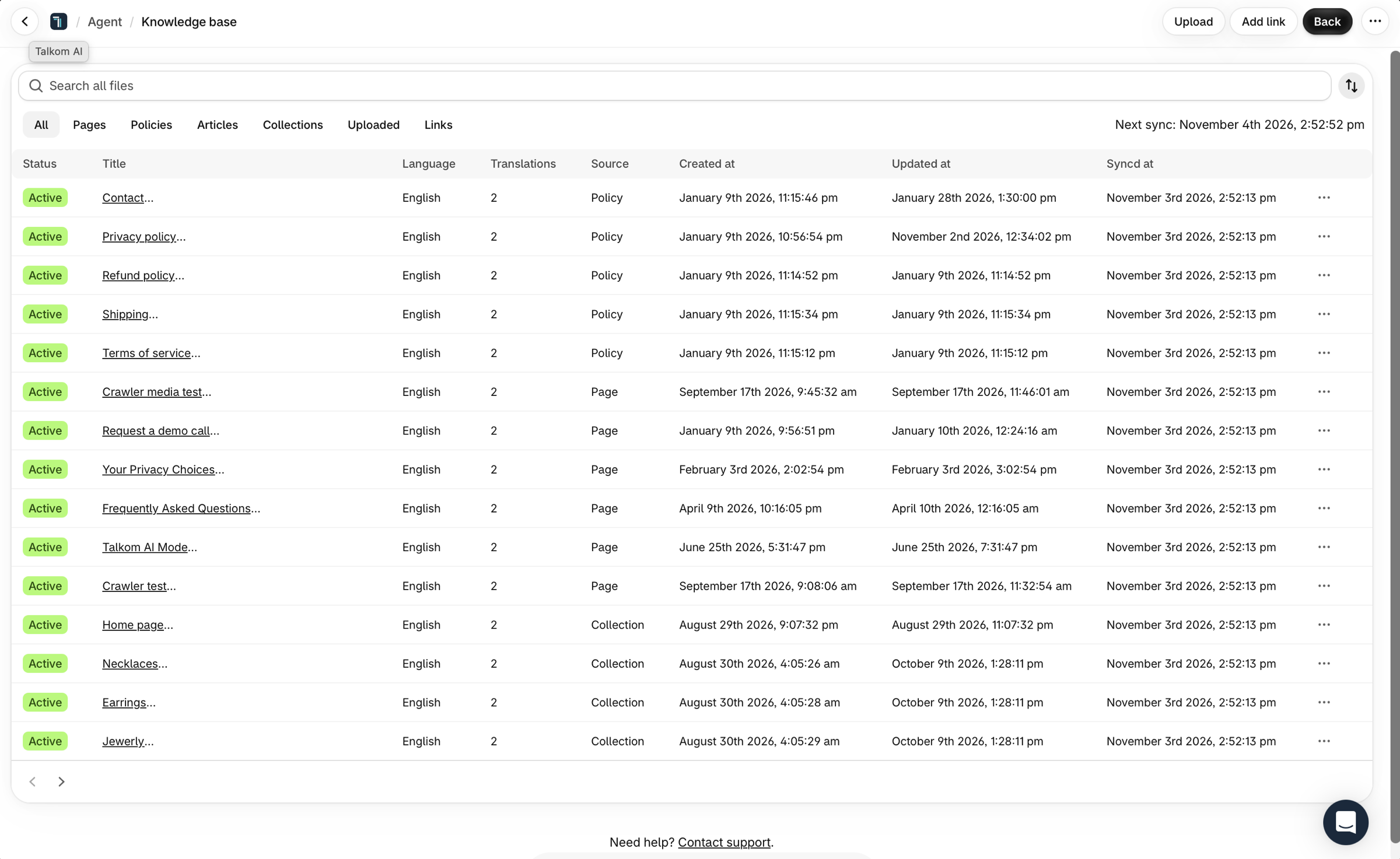
Knowledge base
Talkom learns from your store’s policies, pages, articles and collections. You can also add links and upload files.
Products
Talkom automatically learns from all active products in your store, and keeps up when they change.
Metafields
Talkom can read and use data stored in metafields across your store, on products and variants.
What Talkom knows
Talkom learns from your store automatically, and you can see exactly what it uses.
- Knowledge base: your pages, policies, articles and collections, with status, language, translations and last sync time
- Files: upload PDF, Word, Markdown, HTML and other documents, and the AI automatically learns from them. On Growth and Scale
- Links: add a link to any page, and the AI automatically learns from it
- Products: all active products in your store
- Metafields: data stored in metafields across your store
Control how it appears
Choose which parts of Talkom appear in your store: the AI Assistant, Ask About Products, AI Search Mode, banners on your header, search and collection pages, and buttons that start a conversation with a message you choose. You can try them on a copy of your theme first.
History by plan
How far back you can see conversations and analytics depends on your plan. You manage your plan and usage on the Subscription page.
Swipe to see the full table.
| Plan | Chat history and analytics |
|---|---|
| Free | 7 days |
| Starter | 30 days |
| Growth | 90 days |
| Scale | Unlimited |
Frequently asked questions
What is the Talkom Workspace?
The admin area of Talkom, where merchants configure the AI assistant, read conversations and see analytics, including attributed orders and revenue.
Can I see what shoppers ask the AI?
Yes. You can read every conversation in the Workspace and filter by market. How far back you can see depends on your plan.
Can I control which products Talkom recommends?
You can boost best sellers, inventory or new arrivals, choose how out-of-stock products are handled and how strict matching is, and add your own re-ranking instructions.
Where does Talkom get its knowledge?
From your active products, metafields, and your store’s pages, policies, articles and collections. You can also add links, and upload files on Growth and Scale.
Does Talkom show how much revenue it brings in?
The analytics show orders and revenue attributed to Talkom conversations, as well as add-to-cart actions and conversion rates.
Try Talkom on your store
Start on the Free plan, or try any paid plan free for 14 days.